# Templates & Template Tags
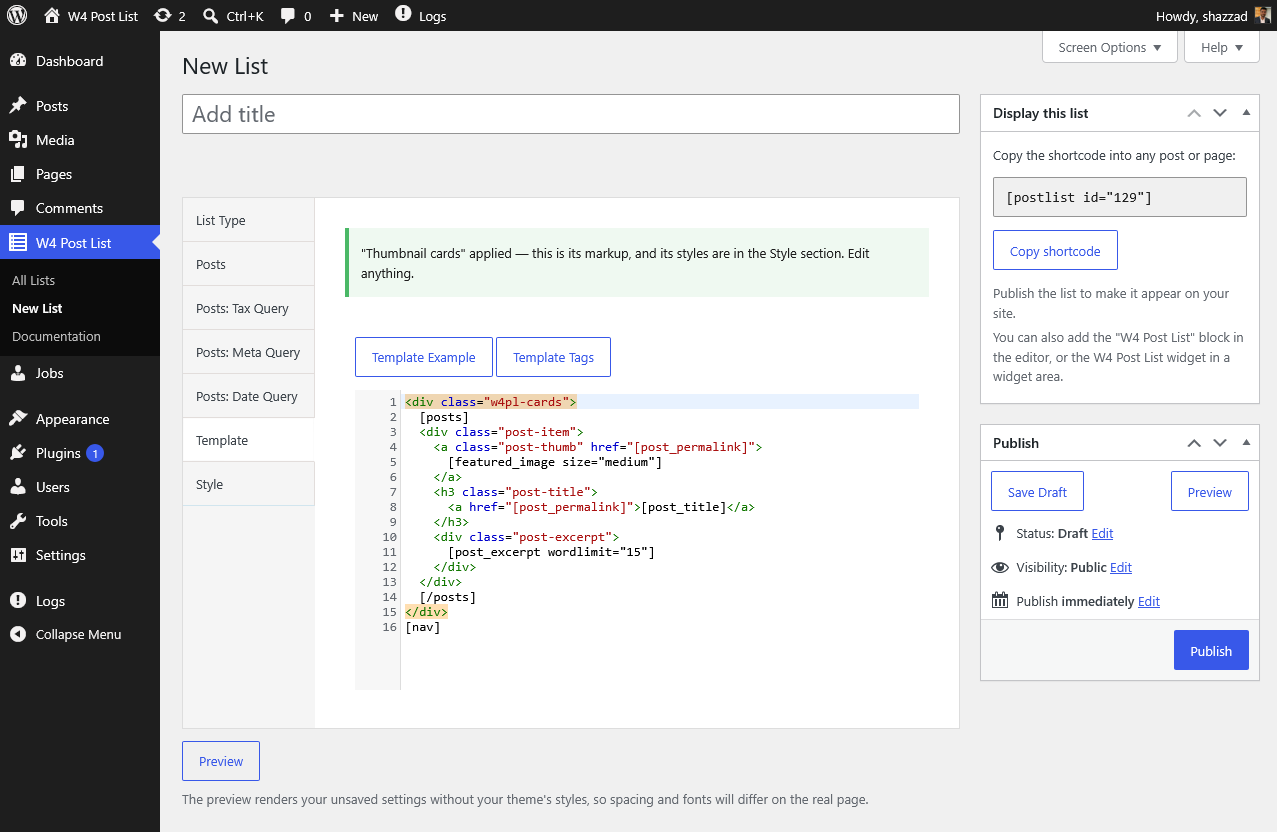
Every list’s HTML comes from its **template**: plain HTML mixed with **template tags** in square brackets. Two rules explain everything:
1. **Everything between an opening and closing loop tag repeats once per item.** Wrapper elements (``, grids) go *outside* the loop tags; per-item markup goes *inside*.
2. **Template tags are replaced with dynamic values** — `[post_title]` becomes the post’s title, `[post_permalink]` its URL.
```markup
[posts]
[/posts]
[nav]
```
This renders one `div.post-item` per post, then pagination.
> **Vocabulary note:** template tags are the plugin’s own syntax, parsed by the plugin — they are not WordPress shortcodes. The only WordPress shortcode here is itself, which places a list.
## Loop tags
| Tag | Repeats per | Available in |
|---|---|---|
| `[posts]…[/posts]` | post | Posts, Terms + Posts, Users + Posts |
| `[terms]…[/terms]` | term | Terms, Terms + Posts |
| `[users]…[/users]` | user | Users, Users + Posts |
| `[groups]…[/groups]` | group (when **Group by** is set) | Posts |
| `[nav]` | — pagination links | Posts lists with pagination |
## Frequently used tags
**Posts:** `[post_title]`, `[post_permalink]`, `[post_excerpt wordlimit="20"]`, `[post_date format="M j, Y"]`, `[featured_image size="medium"]`, `[post_author_name]`, `[post_terms]`, `[post_meta key="your_field"]`
**Terms:** `[term_name]`, `[term_link]`, `[term_count]`, `[term_content]`
**Users:** `[user_name]`, `[user_link]`, `[user_avatar]`, `[user_bio]`, `[user_email]`
**Groups:** `[group_title]`, `[group_url]`
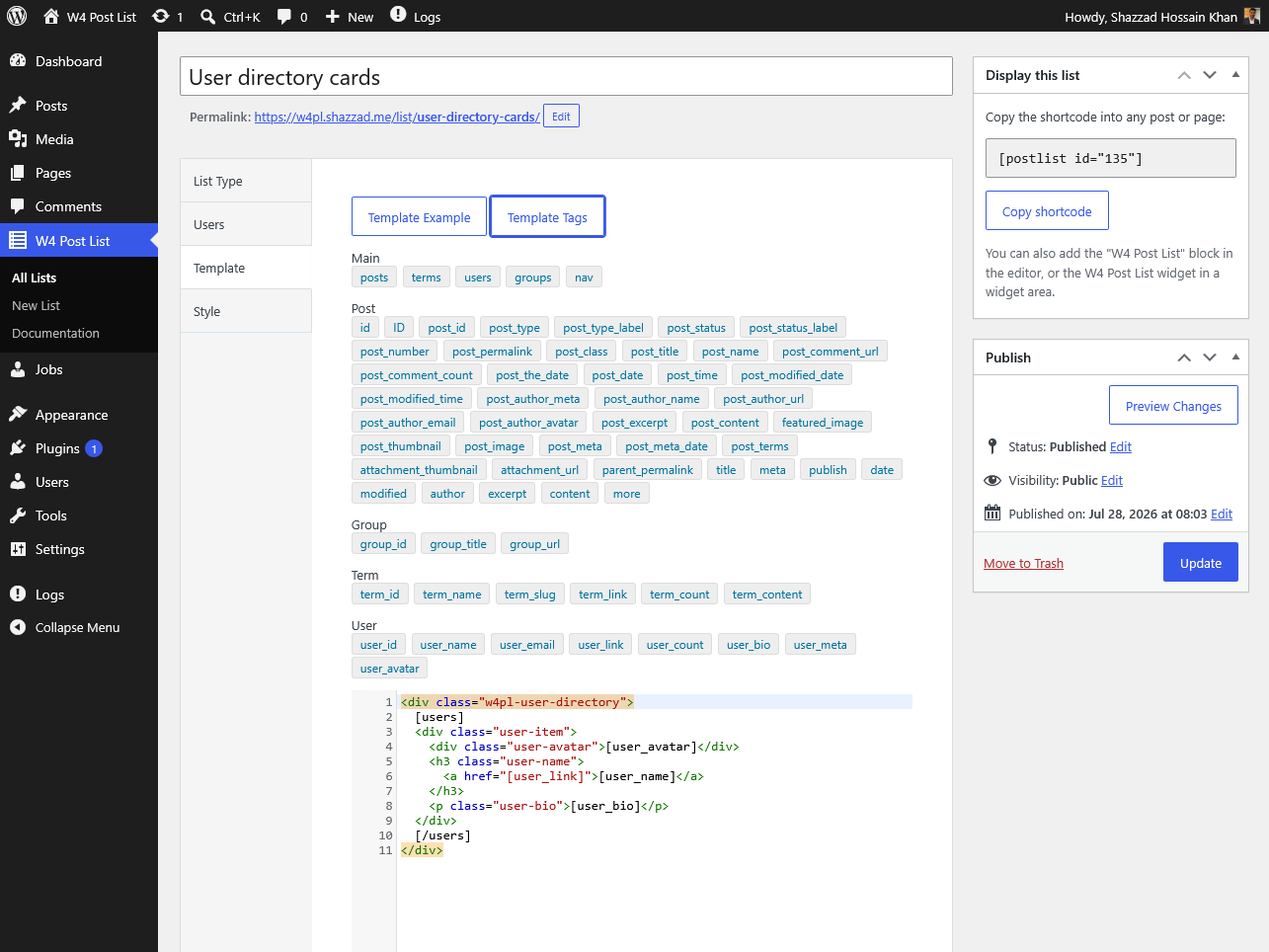
The full reference with every tag and its attributes is inside the plugin: **W4 Post List → Documentation → Template Tags**, and the **Template Tags** button beside the editor inserts any tag at your cursor.
## Grouped lists
Set **Group by** (Year, Month, any taxonomy, Author, Parent) and wrap your posts loop in a groups loop:
```markup
[groups]
[group_title]
[posts]
[post_title]
[/posts]
[/groups]
```
\[nav\]
## Per-list CSS
The **Style → CSS** field is printed with the list. Scope every rule with the list’s own wrapper so it can’t affect the rest of the page — `[listid]` is replaced with the list’s ID at render:
```css
#w4pl-list-[listid] .post-item {
margin-bottom: 1em;
}
```
## Custom fields (including ACF)
Inside the posts loop, `[post_meta key="your_field_key"]` outputs a custom field’s value. Fields stored as plain values (text, numbers, URLs) work best.
## The editor has your back
Typos and mismatches don’t fail silently:
- An unregistered tag like `[post_titel]` produces a save-time warning with a **“did you mean \[post\_title\]?”** suggestion.
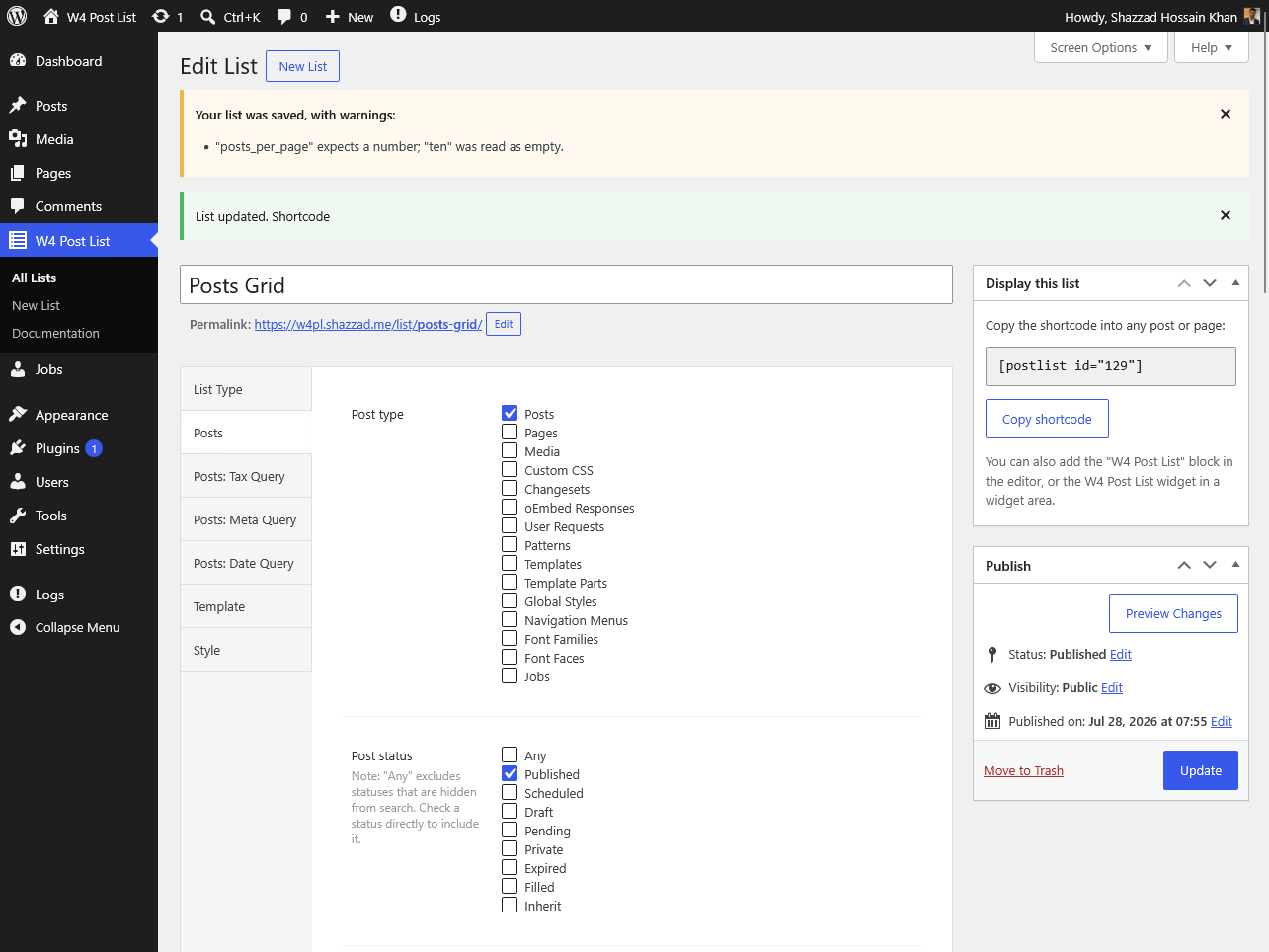
- Numeric fields accept only numbers — `"ten"` is coerced with a clear explanation, and your save always goes through.
- If your template is missing the loop tag its list type needs, the editor warns inline and offers a one-click **“Replace with the default template”** fix.
Source: https://w4dev.com/docs/w4-post-list/templates-and-template-tags/