
Free and open source · WordPress plugin
Lightweight logging for WordPress.
Store custom messages, selectively track outgoing HTTP requests, and read the WordPress debug log from a clean admin screen, with no SSH or FTP needed.
GPL-3.0 · WordPress 5.0+ · PHP 7.4+ · No account required
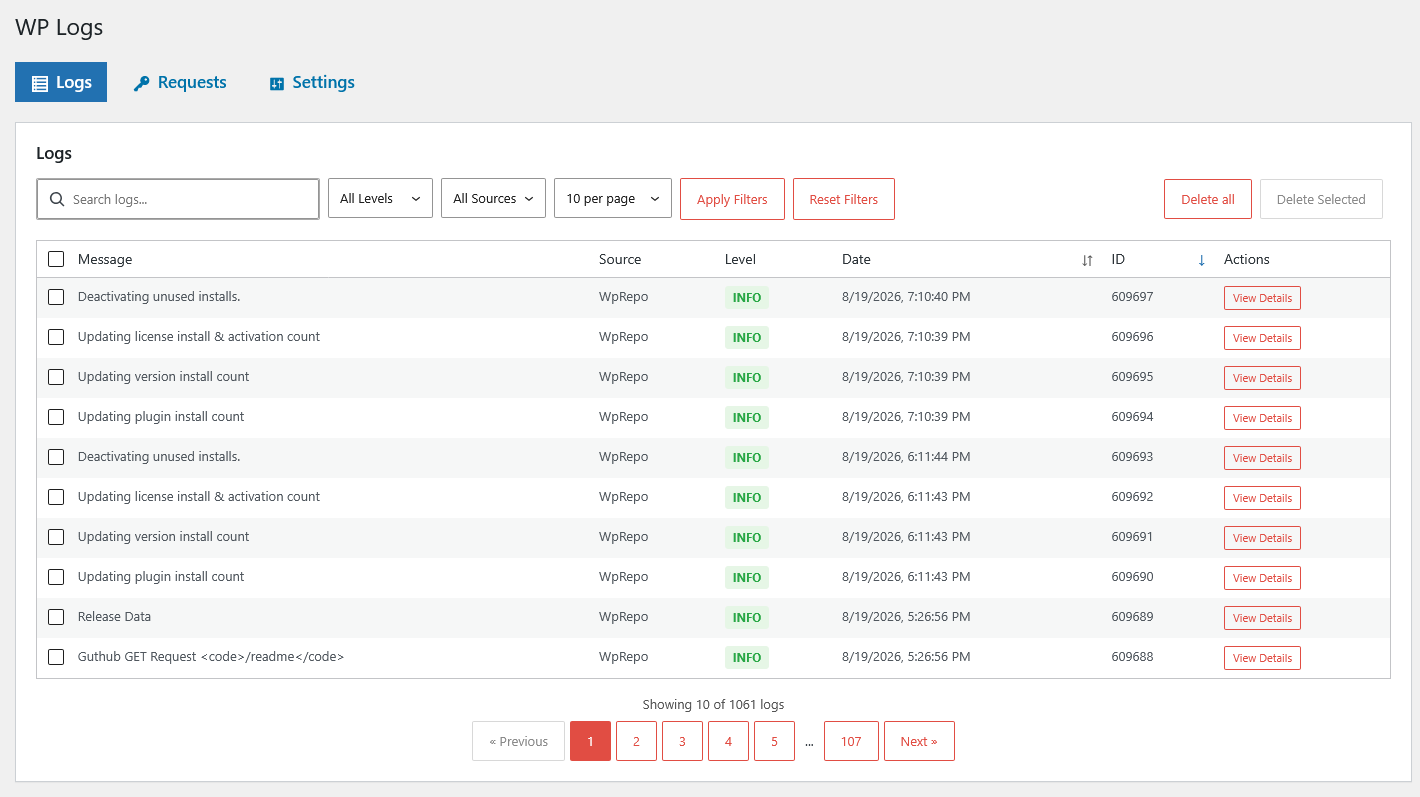
Capture custom messages and structured context
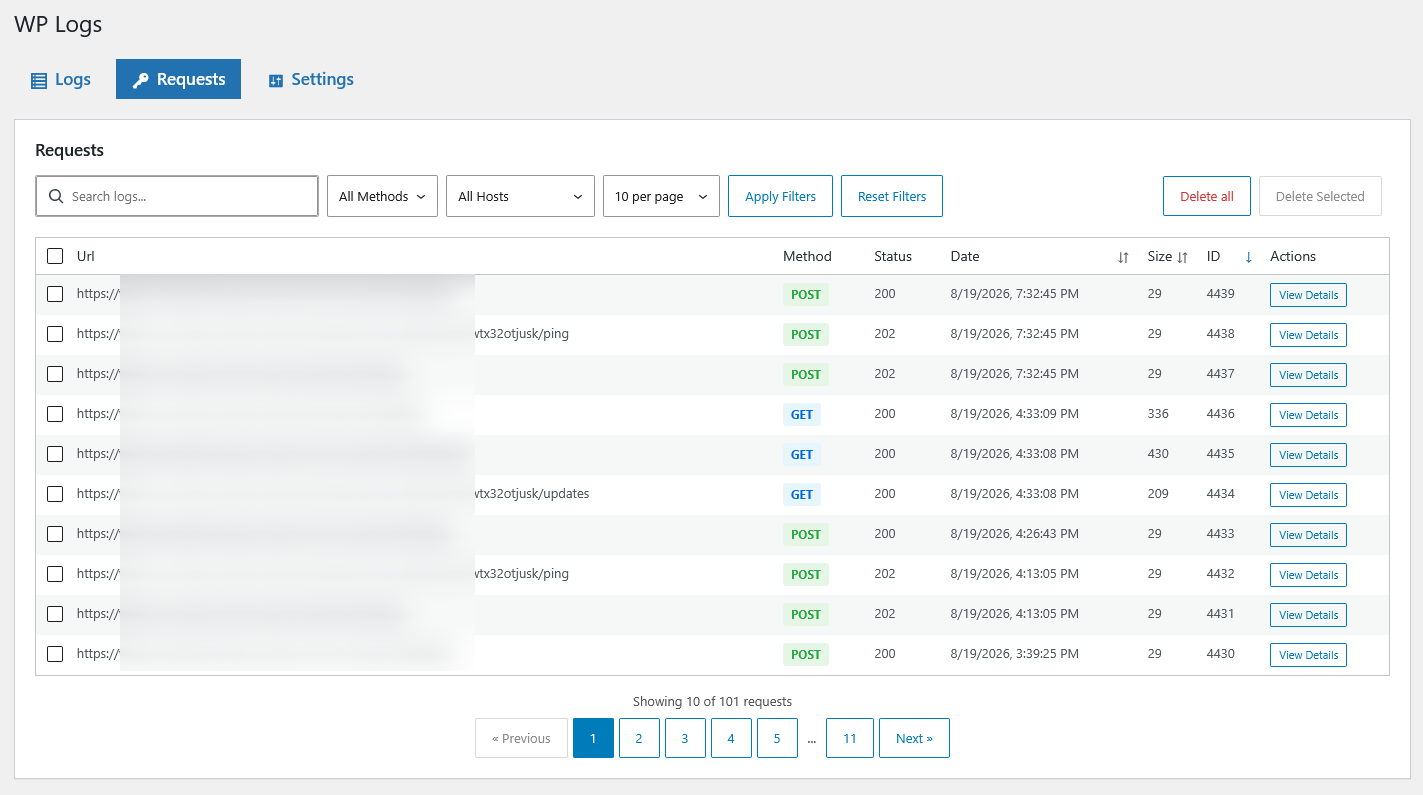
Target the external request URLs that matter
Review searchable records inside WordPress
2 hooksThe complete integration surface
Dedicated tableStructured database storage
Selective trackingLog only the HTTP URLs you choose
GPL-3.0Free and open source
Visibility into your site
Capture, find, and understand the events that matter.
WP Logs adds a focused logging system without an external service, a complex dashboard, or a large SDK.
Custom log messages
Fire one WordPress action from a plugin, theme, scheduled job, or custom workflow to store a named event with context.
HTTP request tracking
Choose which external URLs to monitor and keep the request details needed to debug APIs, webhooks, and payment services.
Log and debug.log viewer
Browse, sort, filter, and search records from WP Admin → Logs, and open or clear the WordPress debug.log from the admin bar. Administrators only, no SSH or file tailing.
A small, native API
Log a useful event with one action.
Give the entry a source, write a readable message, and attach the values that explain what happened. Message placeholders are replaced with the matching context data.
- Call from plugins, themes, or mu-plugins
- Name the source of every event
- Store structured context with the message
do_action(
  'swpl_log',
  'My Plugin',
  '{{user}} performed {{action}}',
  array(
    'user'   => 'John Doe',
    'action' => 'profile update',
  )
);
Selective HTTP logging
Track the integration, skip the noise.
The swpl_log_request filter sees outgoing WordPress HTTP URLs. Return true only for the API endpoints you want to record, keeping the log useful and compact.
- Payment gateway calls
- CRM and external API requests
- Webhook deliveries
- Environment-specific endpoints
Why WP Logs?
A structured trail with very little overhead.
WordPress-native hooks keep integration familiar, while dedicated storage and selective capture keep investigation practical.
Lightweight by design
No external service, SDK, or large settings area. Add events and review them from one focused admin screen.
Database-backed storage
Logs live in a dedicated custom table instead of flat files, the options table, or the PHP error log.
Searchable records
Use the admin interface to find the relevant source, message, request, or moment in the activity trail.
Selective capture
Decide which events and external services deserve a record instead of collecting every possible detail.
Structured context
Keep supporting values with each message so an event remains understandable after the immediate problem has passed.
WordPress native
Use familiar do_action and add_filter calls from any plugin, theme, or custom integration.
What can you log?
Useful visibility across WordPress workflows.
Plugin debugging
Record activation, data processing, settings changes, and scheduled work.
Payment monitoring
Inspect outgoing calls to Stripe, PayPal, or another payment processor.
API integrations
Follow calls to CRMs, email services, property platforms, and other APIs.
User activity
Keep a trail of selected profile, role, login, or content events.
Webhook delivery
Confirm an outgoing webhook fired and inspect the associated request.
Cron jobs
Mark the start and finish of scheduled tasks and verify their progress.
Who it helps
One shared view for technical site work.
⌘
Developers
Build structured logging into plugins and themes.
◫
Administrators
Review critical activity without server access.
◎
Support teams
Diagnose reported issues from an event trail.
◇
Security teams
Record selected suspicious or unexpected activity.
Start logging in two minutes.
Download the plugin, activate it, and fire your first swpl_log action.
Free and open source · GPL-3.0 · No account required