
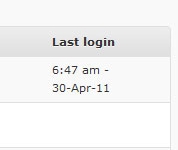
Using the wp_login hook, we can save a user’s login time. One usage of saving login times would be to check who has recently logged in to the site.
The wp_login action is called when a user successfully authenticates with their username/password. This action provides two pieces of information, user_login (username) and the userdata object. We will use this hook to save the time for the user when they log in.
add_action( 'wp_login', 'myplugin_wp_login', 10, 2);
function myplugin_wp_login( $user_login, $user ) {
    update_user_meta( $user->ID, 'last_login', current_time('mysql') );
}
Here, we have used three important WordPress native functions, add_action(), update_user_meta() & current_time().
- add_action() is used to bind a function on a pre-specified event to do custom processing. It’s similar to JavaScript event binding.
- update_user_meta() is used to update a WordPress user’s meta information, for a specific user id.
- current_time() is a similar function to PHP’s time(). The difference is time() returns the current Unix timestamp (UTC), while
current_time()respects your WordPress site’s timezone setting. The site timezone can be changed from the General Settings page in the WP Admin area.current_time()accepts a format argument, which can be used to return a formatted date rather than a timestamp – that’s what we have used in our example here (‘mysql’ format).
You can also read about the usage of the add_action function here.
Next, we will be showing this piece of information in the users list (in wp admin). For that, we will add a new column. manage_users_columns is the hook used to add additional table columns to the Users table, and the manage_users_custom_column filter is used to output the additional column information.
add_filter( 'manage_users_columns', 'myplugin_manage_users_columns');
function myplugin_manage_users_columns( $columns ) {
    $columns['last_login'] = 'Last login';
    return $columns;
}
add_filter is another most important function, it is used to sanitize or modify information using a callback. Like add_action, add_filter is also used on pre-specified events.
Now, to display the time information in the newly created column, use the following code
add_filter('manage_users_custom_column',  'myplugin_manage_users_custom_column', 10, 3);
function myplugin_manage_users_custom_column( $value, $column_name, $user_id ) {
    if ( 'last_login' == $column_name ) {
        $last_login = get_user_meta( $user_id, 'last_login', true );
        if ( $last_login ) {
            $value = mysql2date( "g:i a - d-M-y", $last_login );
        }
    }
    return $value;
}
The manage_users_custom_column filter provides three pieces of information to its callback, ‘column_value’, ‘column_name’ & ‘user_id’. Note that the callback should return the value, not echo it.
Displaying Users login time – Complete Code
add_action( 'wp_login', 'myplugin_wp_login', 10, 2);
function myplugin_wp_login( $user_login, $user ) {
    update_user_meta( $user->ID, 'last_login', current_time('mysql') );
}

add_filter( 'manage_users_columns', 'myplugin_manage_users_columns');
function myplugin_manage_users_columns( $columns ) {
    $columns['last_login'] = 'Last login';
    return $columns;
}

add_filter('manage_users_custom_column',  'myplugin_manage_users_custom_column', 10, 3);
function myplugin_manage_users_custom_column( $value, $column_name, $user_id ) {
    if ( 'last_login' == $column_name ) {
        $last_login = get_user_meta( $user_id, 'last_login', true );
        if ( $last_login ) {
            $value = mysql2date( "g:i a - d-M-y", $last_login );
        }
    }
    return $value;
}
After adding this to your plugin or theme’s functions.php file, you should see a new column on your WP Admin -> Users table.
Extending It More
Modifying the above code, you can add more columns and information. If you have any plugin/theme that extends the default profile fields and allows users to add their social links (ex: facebook, twitter etc), you can create a column for that too. Quick reference –
add_filter( 'manage_users_columns', 'myplugin_manage_users_columns');
function myplugin_manage_users_columns( $columns ) {
    $columns['last_login'] = 'Last login';
    $columns['social_links'] = 'Social Profile';
    return $columns;
}

add_filter('manage_users_custom_column',  'myplugin_manage_users_custom_column', 10, 3);
function myplugin_manage_users_custom_column( $value, $column_name, $user_id ) {
    if ( 'last_login' == $column_name ) {
        $last_login = get_user_meta( $user_id, 'last_login', true );
        return $last_login ? mysql2date( "g:i a - d-M-y", $last_login ) : '';
    }

    if ( 'social_links' == $column_name ) {
        // we assume this information is saved using the facebook meta key
        $fb = get_user_meta( $user_id, 'facebook', true );
        if ( $fb ) {
            return '<a href="'. esc_url( $fb ) .'">Facebook</a>';
        }
    }
    return $value;
}

So, finally the users table should look like this –
Leave a Reply