
W4 Post List has always been the plugin for lists WordPress core can’t build — posts grouped under year or category headings, term indexes, user directories. What it hasn’t always been is easy. Version 2.11 is the release where that changes, completing a run of updates focused on one thing: getting you from “installed” to “beautiful list on my page” without reading a manual.
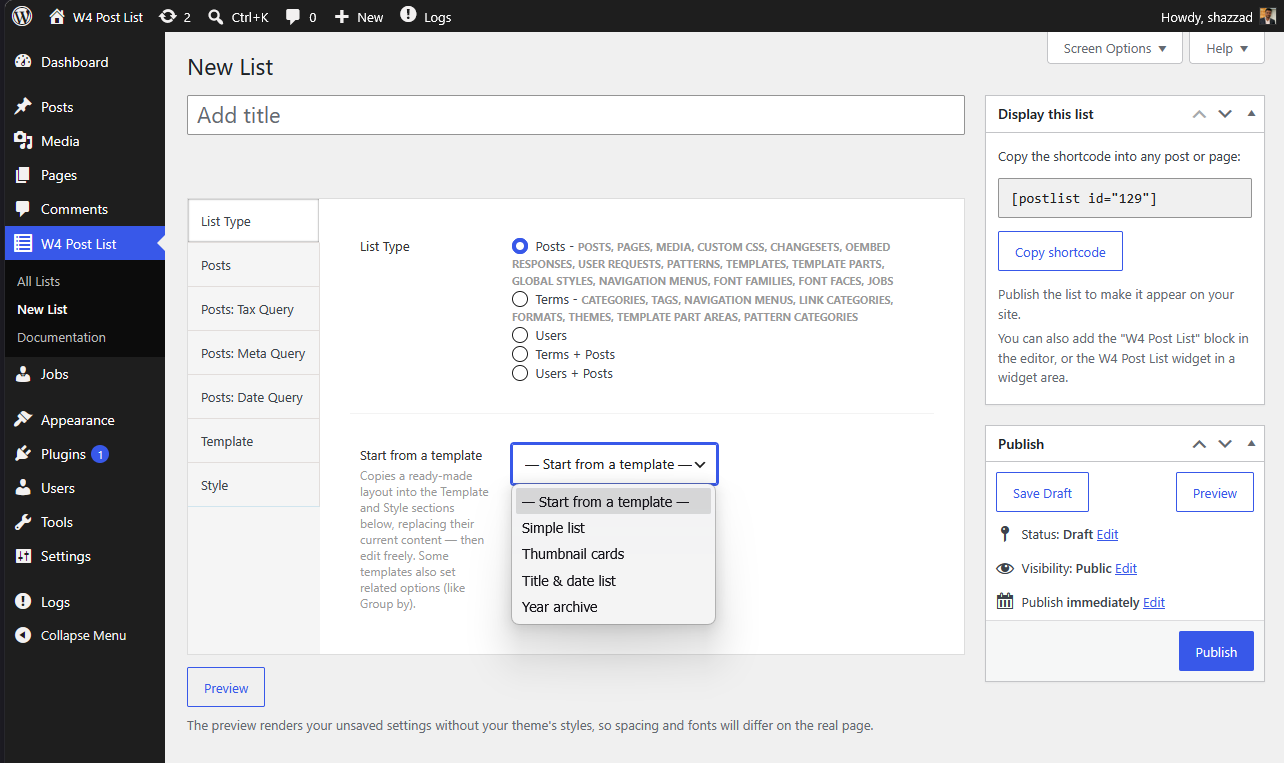
Start from a template
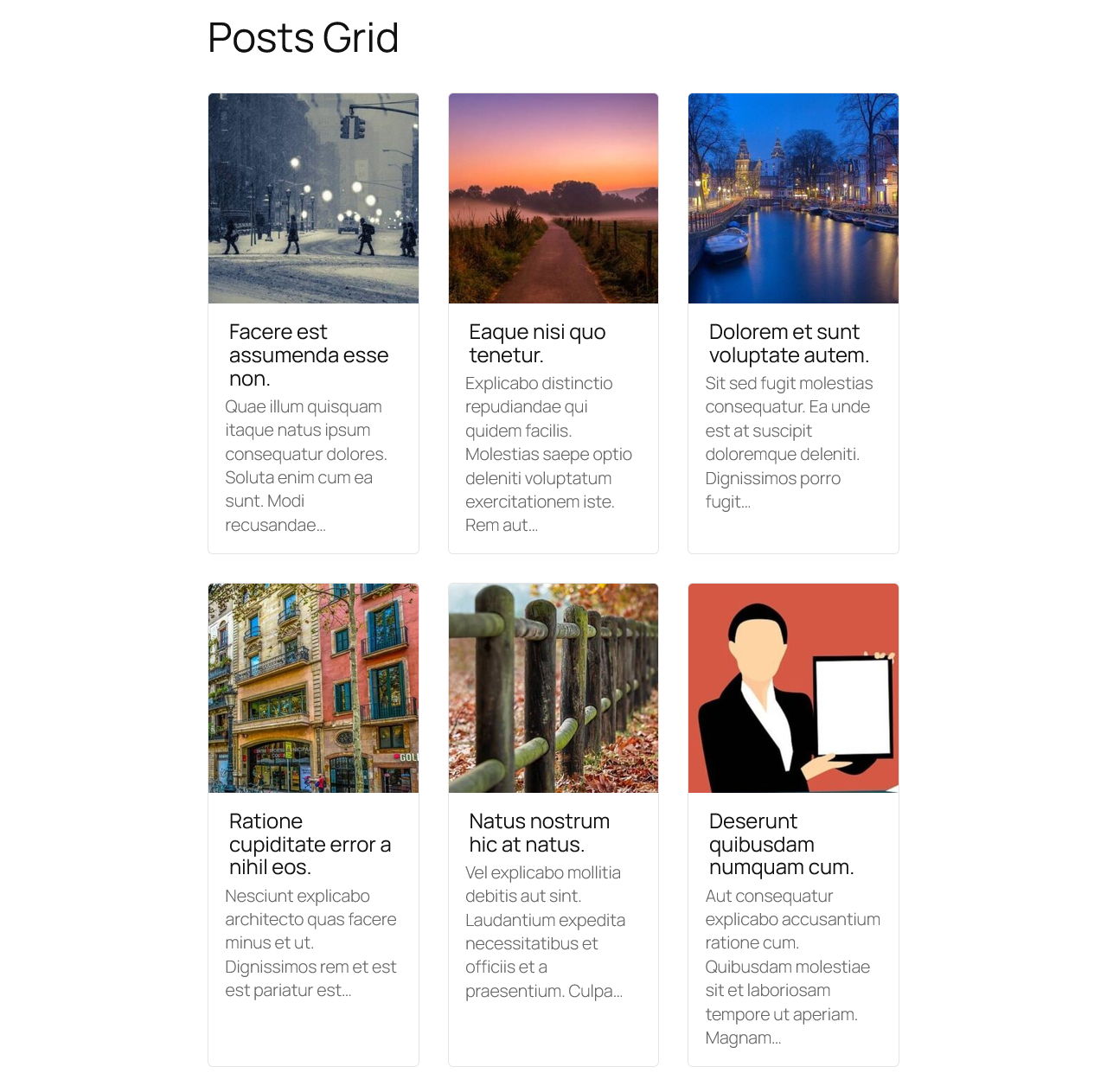
Eight ready-made layouts, one click: thumbnail card grids, year archives, title-and-date lists, category indexes (with or without posts), user directories, authors-with-posts. Picking one copies real, editable markup and scoped styles into your Template and Style fields — and sets any options it needs, like Group by: Year for the archive layout. It’s a starting point, not a cage: everything stays yours to edit.
Developers can register their own layouts with the w4pl/starter_templates filter.
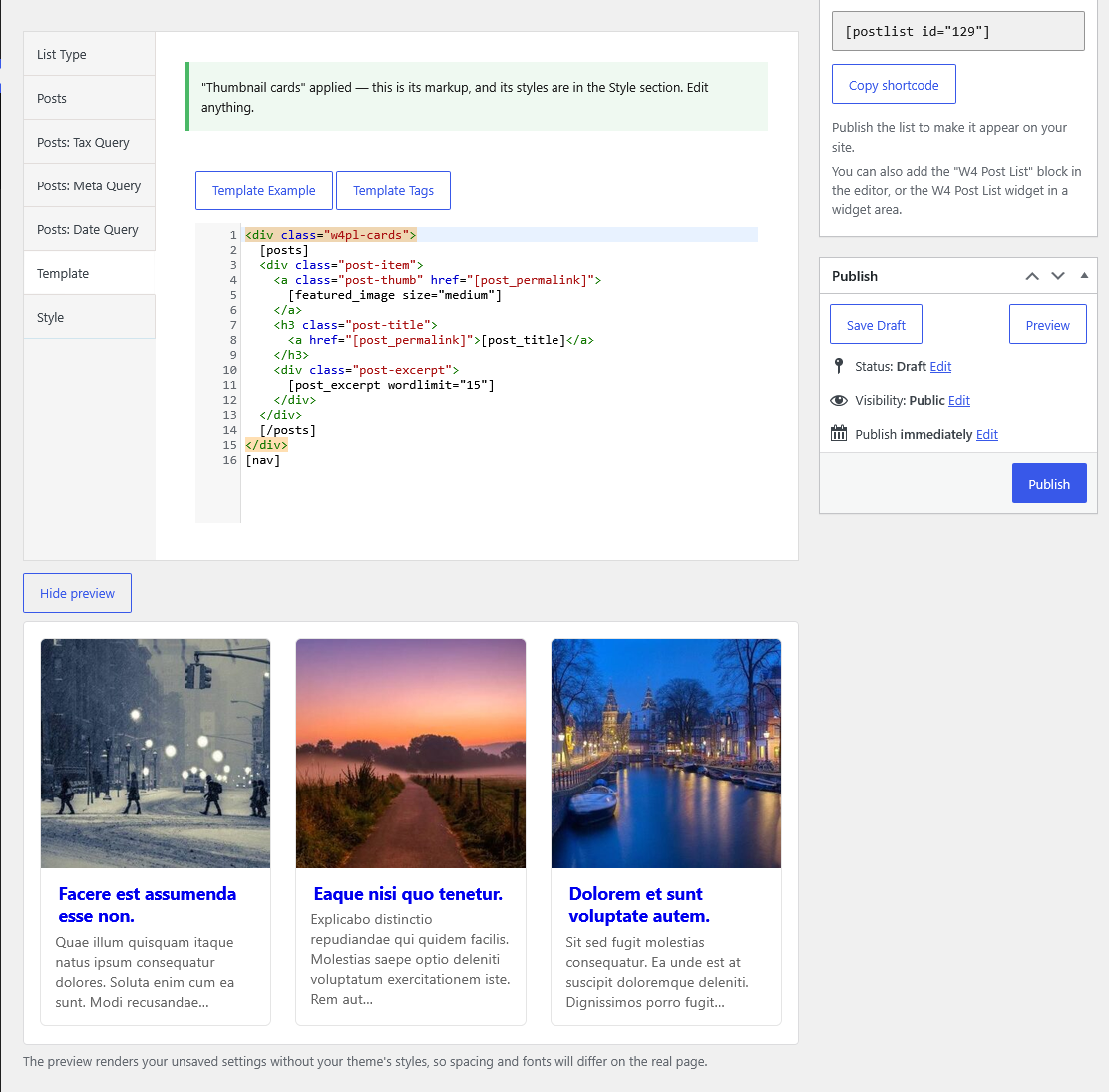
Live preview, finally
The single most-requested workflow fix: a Preview button in the list editor that renders your current, unsaved settings — same rendering pipeline as the real page — and refreshes as you tweak. The publish-reload-squint loop is over.
An editor that has your back
- The Template, CSS and JS fields are now real code editors with syntax highlighting.
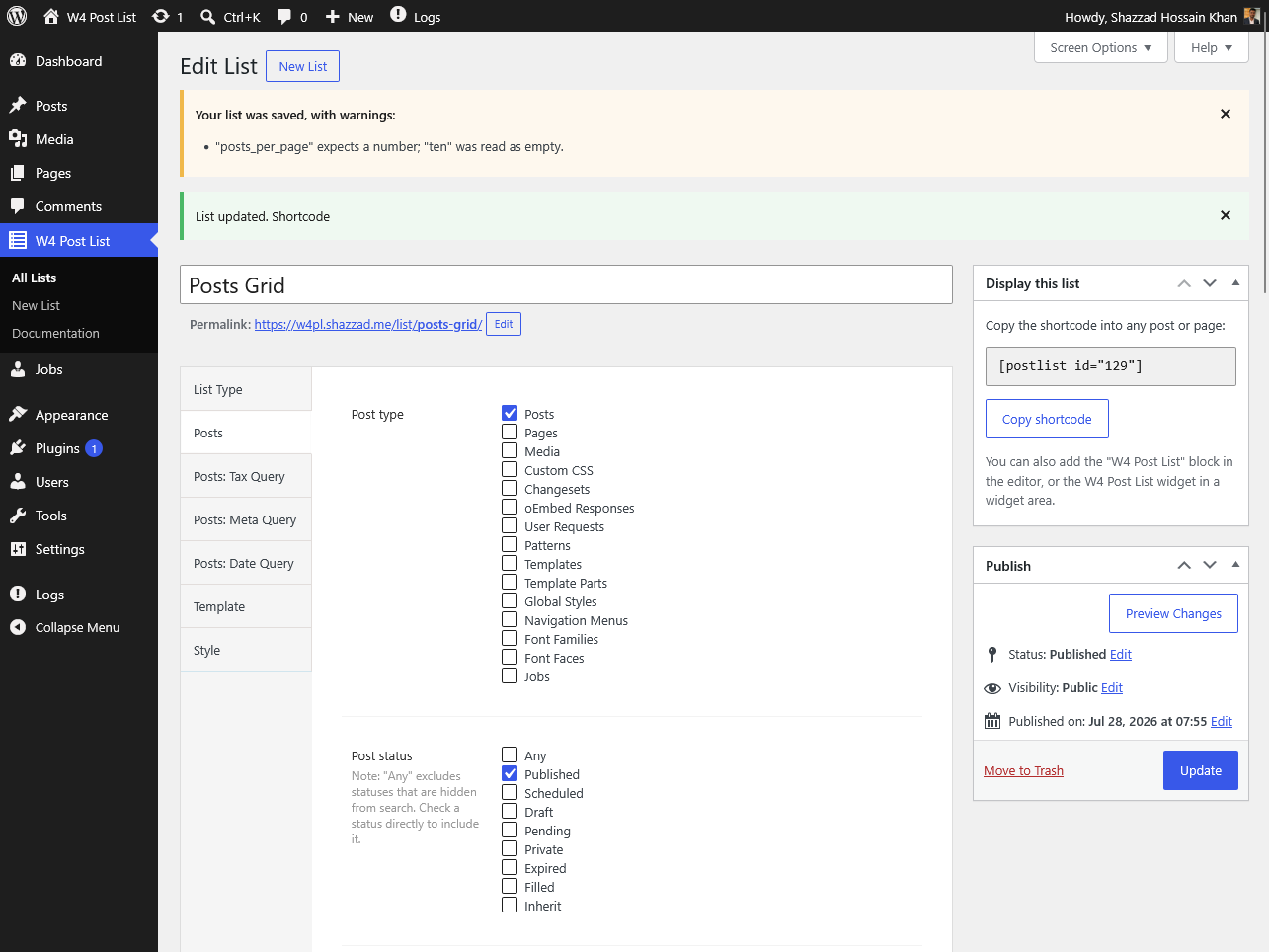
- Typo a tag? You get a save-time warning with a did you mean suggestion —
[post_titel]politely points you at[post_title]. - Type “ten” where a number goes? It’s handled, and the warning tells you exactly what happened. Your save is never rejected.
- Switch a list’s type with an incompatible template? An inline warning offers a one-click “Replace with the default template” fix.
- Wrong shortcode ID on a page? Logged-in editors see an explanation; your visitors see nothing.
And if you’re just starting
Fresh installs now come with a working example list, a three-step get-started guide, in-editor help, and default templates whose structure explains itself:
[posts]
    <div class="post-item">
        <div class="post-title">
            <a href="[post_permalink]">[post_title]</a>
        </div>
    </div>
[/posts][nav]Everything between
[posts]</code> and <code>[/posts]repeats per post. That’s the whole mental model.
Under the hood
Since 2.6.0, every release is gated by an automated test suite that freezes the rendered output of all five list types — your existing lists are protected by snapshots, and options now carry a schema version with a safe migration path. This release alone shipped with 83 automated tests. Lightweight as ever: independently measured at ~19 KB memory, better than 99% of tested plugins.
Try it right now — the Live Preview button on the plugin page boots a throwaway WordPress with the plugin active, no install needed.
Full changelog on the plugin page.
Behind this release
Ten days ago we took a hard look at why a fifteen-year-old plugin was still hard to use, and found three gates where people gave up: a listing that didn’t reflect the plugin, a blank first ten minutes after activation, and a template system that failed silently. Eight milestones and eleven releases later, all three are closed — and every release now has to pass an automated suite of 83 tests that freezes the rendered output of every list type before it’s allowed to ship. If you tried W4 Post List years ago and moved on, this is the version to try again.
Leave a Reply