
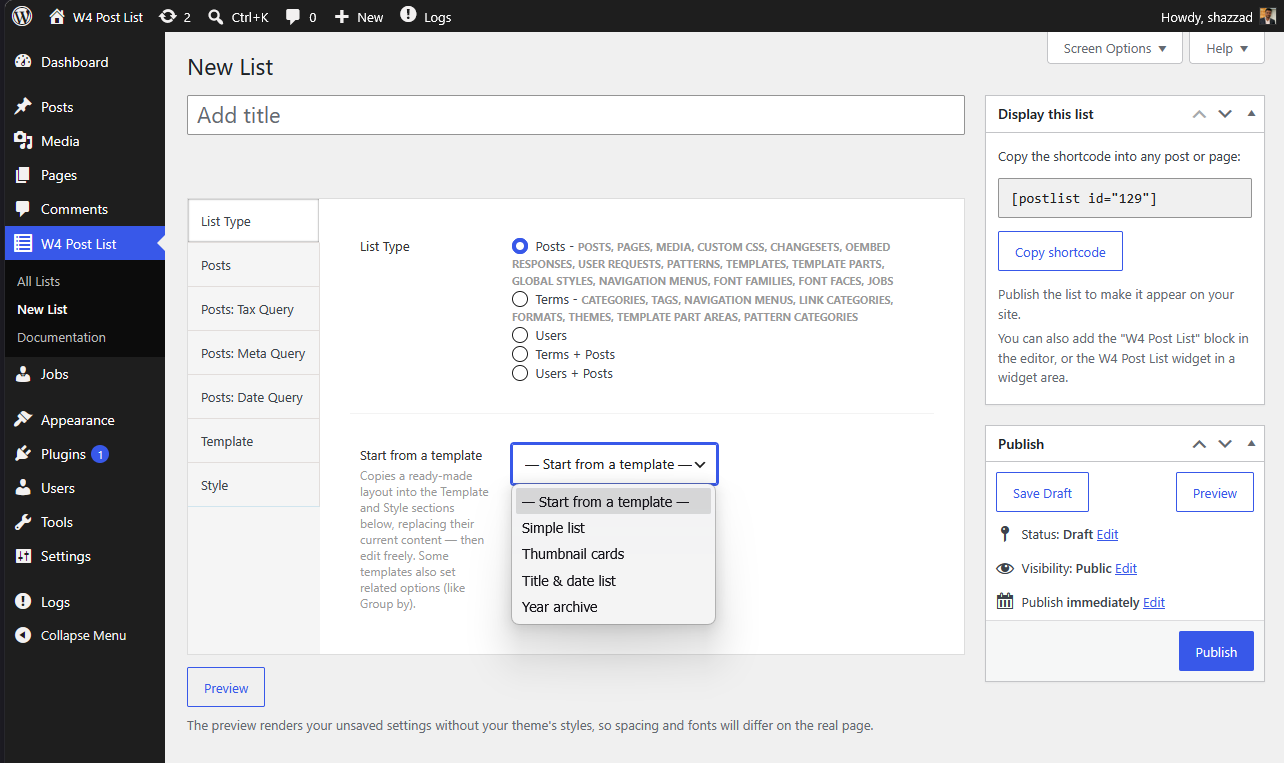
You don’t have to design a list from scratch. The Start from a template picker in the list editor copies a ready-made layout — markup, styles, and any options it needs — into the editable Template and Style fields. Nothing is locked: what you get is a starting point you can change freely, and the live Preview shows the result before you save.
The built-in layouts
| Starter | List type | What you get |
|---|---|---|
| Simple list | Posts | Clickable post titles as a clean bulleted list, with pagination |
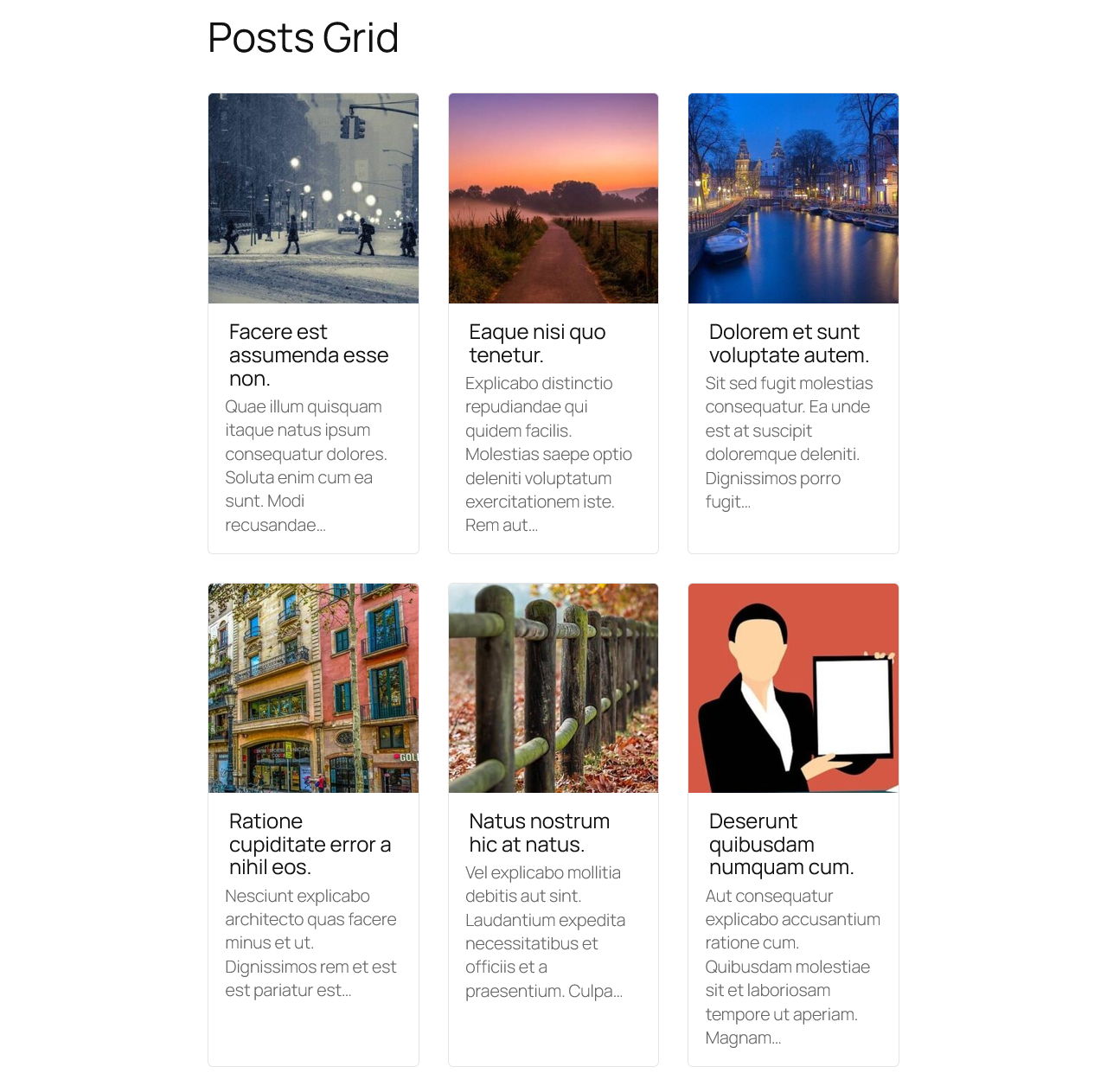
| Thumbnail cards | Posts | A responsive card grid: featured image, title, short excerpt |
| Title & date list | Posts | Archive-style rows — title left, publish date right, divider lines |
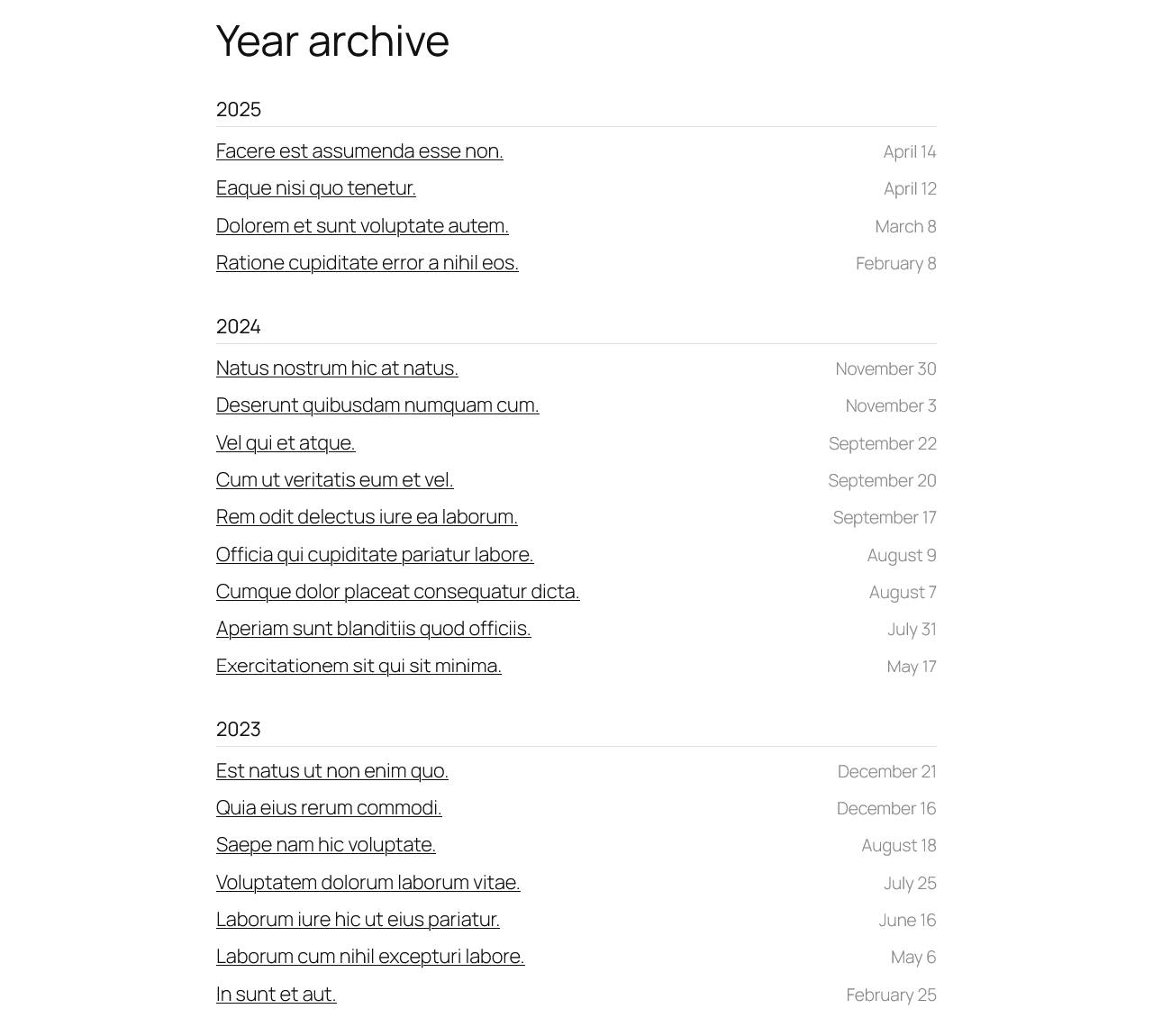
| Year archive | Posts | Posts grouped under year headings (sets Group by: Year for you) |
| Category index | Terms | Multi-column category index with post-count badges, A→Z |
| Category index with posts | Terms + Posts | Each category as a heading with its posts listed underneath |
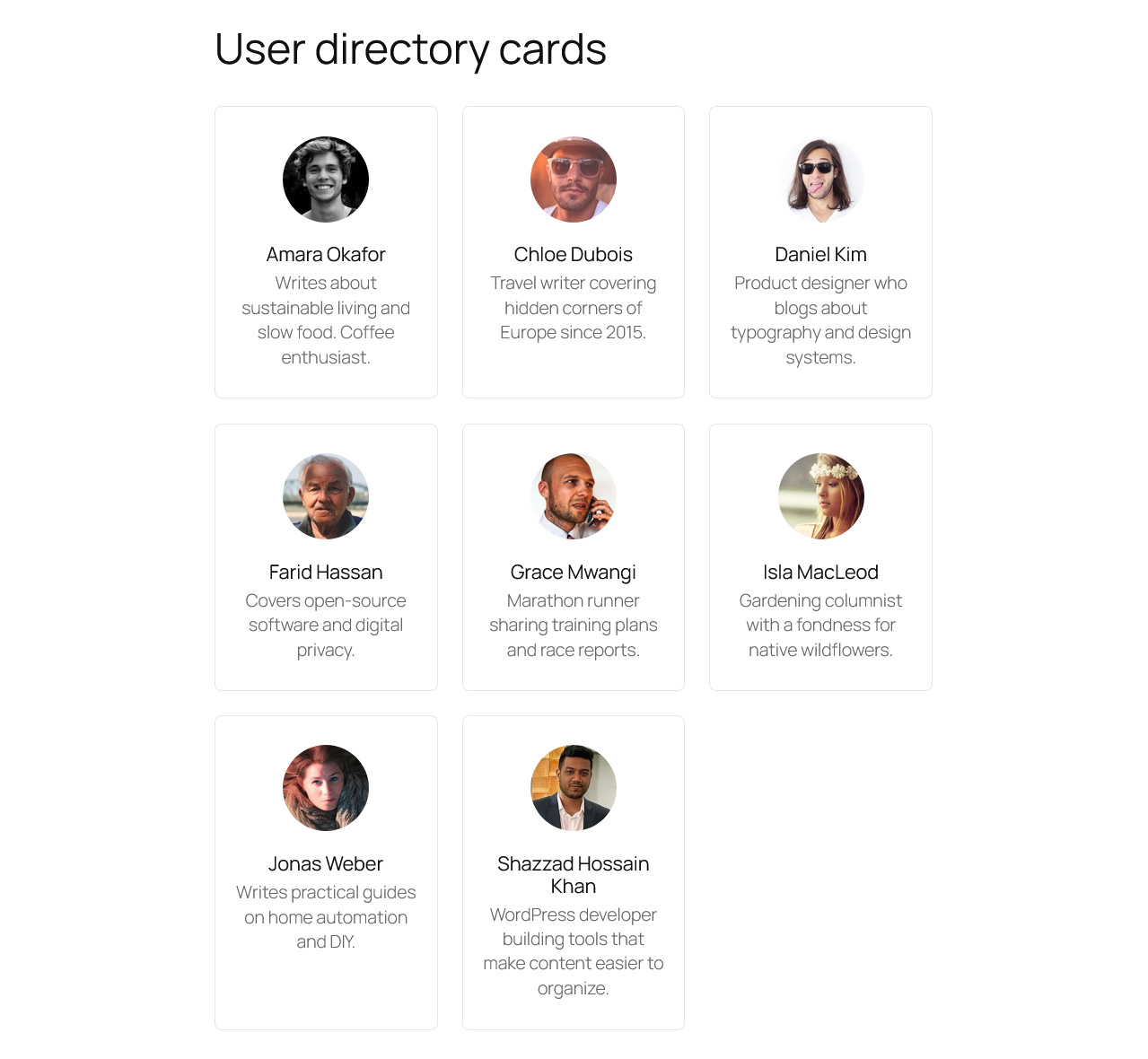
| User directory cards | Users | Centered cards with avatar, linked name, and bio |
| Authors with posts | Users + Posts | Each author’s avatar + name, followed by their recent posts |
The picker only shows layouts matching your current List Type.
How applying works
- Picking a starter replaces the current Template and Style field content — copy anything you want to keep first.
- Starters may also set related options so they work immediately: Year archive sets Group by, card grids set a sensible per-page count, term indexes set alphabetical ordering.
- After applying, a confirmation appears in the Template section, which opens automatically so you can see what you got.
- The applied result is plain template markup in your fields — after applying, the plugin treats it exactly like something you wrote yourself.
The CSS convention
Every starter scopes its rules to the list’s own wrapper, so styles never leak into your theme:
#w4pl-list-[listid] .post-item { … }
[listid] is replaced with the list’s real ID at render. Keep the same prefix on rules you add.
For developers: adding your own starters
Register additional layouts with the w4pl/starter_templates filter:
add_filter( 'w4pl/starter_templates', function ( $starters ) {
    $starters['my-two-column'] = array(
        'label'       => __( 'Two-column list', 'my-plugin' ),
        'description' => __( 'Titles in a two-column grid.', 'my-plugin' ),
        'list_type'   => 'posts', // posts | terms | users | terms.posts | users.posts
        'template'    => "[posts]\n\t<div class=\"post-item\">…</div>\n[/posts]\n[nav]",
        'css'         => '#w4pl-list-[listid] .post-item { … }',
        'options'     => array( 'posts_per_page' => 12 ), // optional, whitelisted keys only
    );
    return $starters;
} );
Allowed options keys: groupby, posts_per_page, limit, orderby, order, terms_taxonomy, terms_orderby, terms_order, users_orderby, users_order. Malformed entries (missing list_type or template) are ignored.